
The Brief #26.40 · Bad news for the $200 ChatGPT plan, Sonnet 5.5, and TOCus
Want more of these in your Google results?
TOCus is officially out! In AI news, Google announced Gemini 4 Argon, OpenAI had a big DevDay where they announced GPT-6.1 Sol and some bad news for current Pro users, and Anthropic released Claude Sonnet 5.5. Then there’s Firefox 157, CSS corner shapes, an open model that finds browser bugs, vertical wrap in Figma, Gemini’s text-to-speech models, and JavaScript iterators.
More new models
Even though last week was extremely busy with the releases of Claude Opus 5.5, OpenAI’s GPT-6 Sol, Grok 4.7, and others, we’re getting even more new models this week. The pace of AI development keeps accelerating.
Two of the new models are Claude Sonnet 5.5 and OpenAI’s GPT-6.1 Sol. Artificial Analysis already scored both of them.
Sonnet 5.5 came in second with 56 at “max” effort, only 2 points behind Claude Opus 5.5.
Its price per token didn’t change, but at “max” effort it used about 193,000 output tokens per task, the most Artificial Analysis has measured. That’s why each task costs $7.60, about 50% more than Sonnet 5.
That said, at “high” effort, it scored 47 for $1.08, close to GPT-6 Sol (48 for $1.05).
GPT-6.1 Sol scored 52 for $0.72 a task, making it the frontier model with the best price-to-value ratio. For comparison, GPT-6 Astra, OpenAI’s best model, scored 53 for $3.26. Per task, GPT-6.1 Sol is 31% cheaper than last week’s GPT-6 Sol. Artificial Analysis didn’t find a cheaper model with the same score at any of its effort levels.
| # | Model | Intelligence Index v4.3.2 | Cost per Index task |
|---|---|---|---|
| 1 | Claude Opus 5.5 (max) | 58 | $5.98 |
| 2 | Claude Sonnet 5.5 (max)New | 56 | $7.60 |
| 3 | Claude Opus 5.5 (high) | 54 | $1.82 |
| 4 | Claude Fable 5.1 (max) | 53 | $7.63 |
| 5 | GPT-6 Astra (max) | 53 | $3.26 |
| 6 | GPT-6.1 Sol (max)New | 52 | $0.72 |
| 7 | Claude Fable 5.1 (high) | 51 | $3.91 |
| 8 | Muse Spark 1.3 (max) | 48 | $1.60 |
| 9 | GPT-6 Sol (max) | 48 | $1.05 |
| 10 | Grok 4.7 (xhigh) | 46 | $3.74 |
TOCus
I launched TOCus, a free browser extension that adds a short pause before you visit the websites you choose!
You can get it for Chrome, Edge, and Firefox. Please give it a try. It’s free, open-source, private, and made with a lot of love.
TOCus makes you select sites you find addicting, and it asks you to wait 10 seconds before giving you 5 minutes on the site. If you keep coming back, every pause you finish adds 5 seconds to the next one, up to a minute.
The idea here is that you note the compulsion and just leave the site. Since installing TOCus, I’ve found myself visiting sites like Reddit way less.
I wrote about the whole process, from the first pencil sketch to the launch, in Making TOCus a reality.
Gemini 4 Argon
Google released their newest frontier model: Gemini 4 Argon.
The rollout starts with cyber defenders in Google’s Fairwind Program. Google will then make the model available to paid API customers and Google AI Ultra subscribers.
Google’s tests show Argon at the top of DeepSWE v1.1, with 77.9% on long software engineering tasks. A single answer can be 1 million tokens long, up from 64K in earlier Gemini models.
Argon agents are moving Google’s C and C++ code to Rust. Their Rust port of the libgav1 video decoder is 2.7x faster than the one it replaced.
Argon can spot and patch vulnerabilities without help. Googlers and those defenders have it with the cyber guardrails off. With Argon, Wiz uncovered a critical flaw in healthcare software that hospitals around the world rely on, after earlier frontier models had missed it.
GPT-6.1 Sol
Just one week after GPT-6 Sol, which I covered in The Brief last week, GPT-6.1 Sol is out.
According to OpenAI, it’s nearly as smart as GPT-6 Astra at coding, professional work, and using a computer, for a fifth of Astra’s token prices.
GPT-6.1 Sol costs $2 input / $10 output per million tokens, like GPT-6 Sol. Cached input got cheaper, from $0.20 to $0.10.
Check two things before you switch your code from gpt-6-sol to gpt-6.1-sol.
- The
nonereasoning effort is gone. - Tool calling works through the Responses API alone.
You’ll find GPT-6.1 Sol in:
- The OpenAI API, as
gpt-6.1-sol. - ChatGPT Work (where ChatGPT completes whole tasks, like a report or a slide deck) and Codex, on Plus, Pro, Business, Enterprise, and Edu, with Pro users first. It isn’t in regular chats yet.
- The Codex CLI, as the default model since version 0.159.1.
- GitHub Copilot, on Pro+, Max, Business, and Enterprise, but not on Copilot Pro.
Changes to ChatGPT Pro
OpenAI sent an email to Pro 200 users with bad news, and announced a new plan.
In the email, they announce a new $500-a-month ChatGPT plan. It includes 25x the usage of Plus, the $20 plan. It’s also the only Pro plan with Ultrafast, a much faster mode for GPT-6 Astra in ChatGPT Work and Codex.
Ultrafast makes GPT-6 Astra generate tokens as much as 8x faster in Codex, but it obviously uses up the included usage 8x faster than normal. Codex gets Ultrafast for GPT-6.1 Sol in the coming days, OpenAI says.
Pro 200 subscribers got an email with the details:
- From October 30, Pro 200 includes 10x the Plus usage in ChatGPT Work and Codex, down from 20x. Current subscribers keep the old allowance through October 29, at $200. After that, they get 50% of the usage for the same price.
- GPT-6 Pro’s weekly limit in regular chats goes from 200 to 100 messages.
- Subscribers get a one-time grant of 62,500 credits, worth $2,500, that expire on December 31, 2026. Credits cover what you use after the plan’s allowance runs out.
- The 5-hour usage limit won’t come back, according to the email.
Before, two $200 accounts gave you 40x usage, and now a $500 account gives you 25x usage.
At DevDay, OpenAI introduced dots. All Pro plans include one at no extra cost. Each dot is an AI agent powered by GPT-6 Astra that keeps working in the background, on its own cloud computer with its own browser. OpenAI’s example for developers is a dot that watches customer feedback, builds and tests small fixes, and sends you pull requests with videos of the changes.
People on Pro in the European Economic Area, Switzerland, and the UK don’t get them at first.
Talking with a dot doesn’t count toward usage limits, at least for now, but tasks it starts in Codex or ChatGPT Work do.
Two more things from OpenAI’s DevDay
Besides GPT-6.1 Sol, the $500 plan, and dots, DevDay brought two things for developers.
Plus and Pro users can spend their ChatGPT allowance in 16 partner tools that offer Sign in with ChatGPT, like Vercel, Notion, and Cognition’s Devin, without an API key. One of them, Lovable, is still marked as coming soon on the partner list. Other companies apply through an interest form, since the sign-in is a limited trial.
OpenAI released the Decisions API, a direct competitor to TypeSafe AI’s Jev. We covered what Jev is last week. OpenAI’s version is in limited preview and runs on its Luna model. It works like Jev, but Jev takes text alone and OpenAI’s version accepts images too. There are no docs or prices yet. Broader access is planned for the coming days.
Claude Sonnet 5.5
Anthropic released Claude Sonnet 5.5 on September 28, with Claude Haiku 5.5 to follow in a few weeks. Pricing didn’t move from $2 input / $10 output.
Anthropic’s pitch is that it “runs 30%+ faster” than Sonnet 5 and “costs up to 30% less for most work”, because it usually needs fewer tokens. That’s not what Artificial Analysis measured at “max” effort, though.
You’ll find it in the Claude apps, Claude Code, the Claude API as claude-sonnet-5-5, Google Cloud, Amazon Bedrock, Claude Platform on AWS, Microsoft Foundry, and GitHub Copilot for Pro, Pro+, Max, Business, and Enterprise.
Browser news
Firefox 157 is out with two CSS features.
The first lets you check whether the browser supports a CSS at-rule, like @scope or @container, before you use it.
Styles that need @scope go inside @supports at-rule( @scope ) { ... }, with a fallback outside it.
The second is for boxes that scroll inside the page, like a chat panel.
When you reach the end of one, the browser passes the scroll to the page behind it, and some devices show a bounce or stretch at the edge.
With overscroll-behavior: chain, the scroll passes on without that effect.
Chrome has had at-rule() since version 148 and chain since 150.
Safari’s stable releases have neither, unfortunately.
Chrome’s API owners, the engineers who sign off on web features, approved a custom string for text-overflow, set to ship in Chrome 157 on November 3.
A custom string replaces the usual ellipsis on text that doesn’t fit with text you choose, like text-overflow: " (more)";.
WebKit merged it without shipping it in a Safari release, while Firefox has had it since 2011.
Browsers without it can fall back to text-overflow: ellipsis; on the line before.
Corner shapes in CSS
CSS corner shorthands are coming in Chrome 157, after Chrome’s API owners approved them on Monday.
They were first planned for Chrome 156, and on October 1 Chrome moved them to 157 to fix their syntax.
They combine border-radius with corner-shape, a property Chrome and Edge have supported since version 139.
By itself, border-radius gives you round corners, and corner-shape can turn them into squircles, bevels, notches, or scoops.
Today, the top left corner takes two declarations, border-top-left-radius for its size and corner-top-left-shape for its shape.
Starting with Chrome 157, corner-top-left: 20px squircle; does both in one line.
Other shorthands set both top corners with corner-top, or all four with corner.
Safari and Firefox haven’t shipped corner-shape.
Their users see the round corners from border-radius.
Browser data updated September 24, 2026
Keep a border-radius line above the shorthand, since browsers without the shorthands skip the whole line, radius included.
GLM-5.3 and browser security
Anthropic’s security team published its tests of GLM-5.3, a model from Z.ai.
Within a day, with little help from a researcher, GLM-5.3 found unknown bugs in a popular browser’s JavaScript engine and chained them into a webpage that exposes files from the visitor’s computer. The team reported those bugs to the browser’s maintainer.
GLM-5.3-Flash, a smaller version, turned a public Chrome fix into a working exploit in about 8 hours, for $20.40 at Z.ai’s prices.
GLM-5.3 is open for anyone to download, and simple tricks got around its safeguards 64% to 100% of the time in Anthropic’s tests.
NIST’s AI standards center, CAISI, called it “the most cyber-capable open-weight model released to date” in its own assessment.
Update your browser as soon as a security fix comes out. Chrome’s latest update fixed 32 security bugs, one of them critical.
Vertical wrap in Figma’s auto layout
Figma shipped vertical wrap for auto layout. Auto layout lines up the elements in a Figma frame in a row or a column, a lot like flexbox in CSS. Rows could wrap before. Items that didn’t fit in a column ran past the bottom of the frame.
Gemini 3.8 text-to-speech
Google introduced Gemini 3.8 Flash TTS and Flash-Lite TTS, two models that turn text into speech. Flash TTS can make a voice from a plain description, or copy a real one from a 30-second recording once its owner records their consent. Flash TTS is meant for audiobooks, podcasts, and games, and Flash-Lite TTS for high-volume work like voice agents.
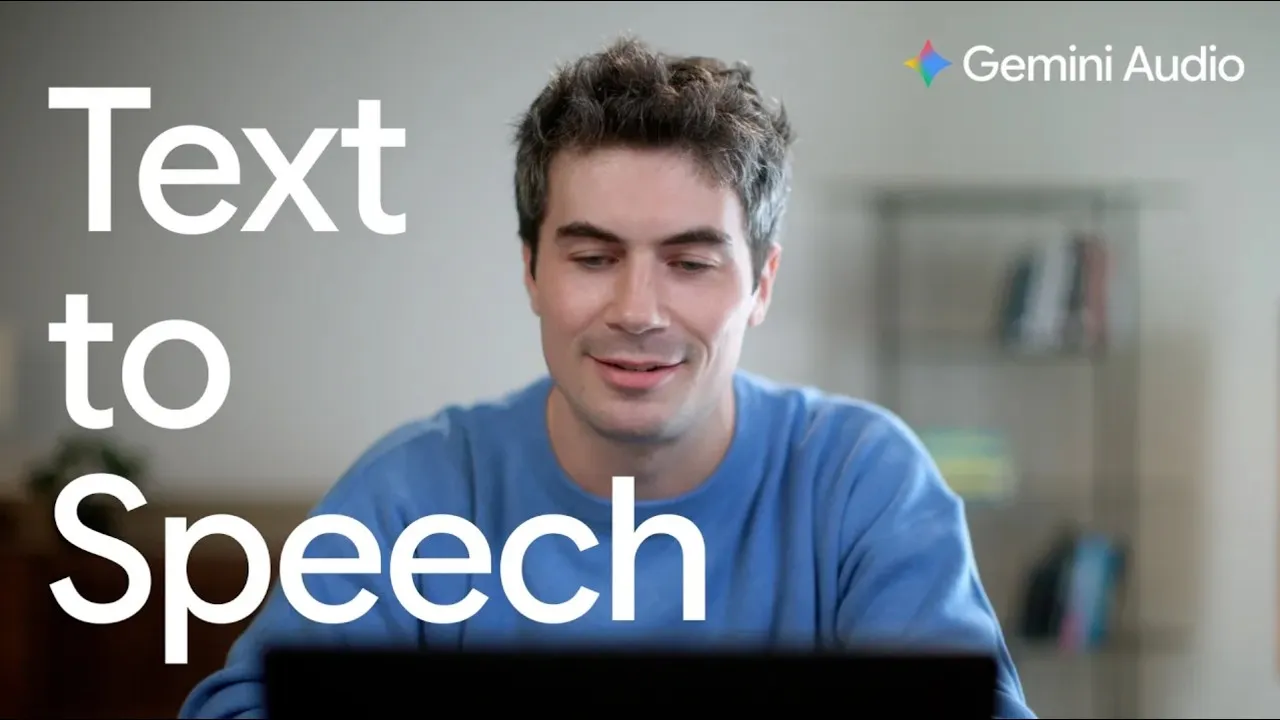
Both are in the Gemini API and Google AI Studio as gemini-3.8-flash-tts and gemini-3.8-flash-lite-tts.
AI Studio has an audio playground where you design a voice from a description or copy yours. Then you put the voices in a script for two speakers and direct how the lines are delivered. Voice copying in AI Studio isn’t offered in Illinois, Texas, the European Economic Area, the UK, Switzerland, or India.
Until December 31, Flash TTS costs $0.50 input / $9.00 output per million tokens, about $0.00225 for 10 seconds of audio. That means generating an 8-hour audiobook costs $6.48.
JavaScript iterator methods
TC39, the committee that decides what goes into JavaScript, moved three proposals to stage 4 at its meeting in Tokyo. Stage 4 means a feature is finished and goes into the next yearly edition, ES2027 in this case.
All three add methods to iterators, the objects you loop over one value at a time, like a Map’s keys or a generator.
Before, you had to copy an iterator into an array with Array.from() to call join() or includes() on it.
Those two work on the iterator itself.
The other two split it into groups, with chunks() for groups of the size you choose and windows() for overlapping ones.
js
const routes = new Map( [ [ 'home', '/' ], [ 'blog', '/blog' ], [ 'about', '/about' ] ] );

routes.values().includes( '/blog' ); // true
routes.keys().join( ' | ' ); // 'home | blog | about'
routes.keys().chunks( 2 ).toArray(); // [ [ 'home', 'blog' ], [ 'about' ] ]
routes.keys().windows( 2 ).toArray(); // [ [ 'home', 'blog' ], [ 'blog', 'about' ] ]
join() already works in Chrome 153 and Firefox 154, but not in a Safari release.
Want more of these in your Google results?